|
|
| Home | Products | Purchase | Change log & Road map | Gallery | Support | Download | Contact | 中文 | |
Home > Documentation for RhinoResurf
Table of Contents 1. Introduction
2. Command Reference
|
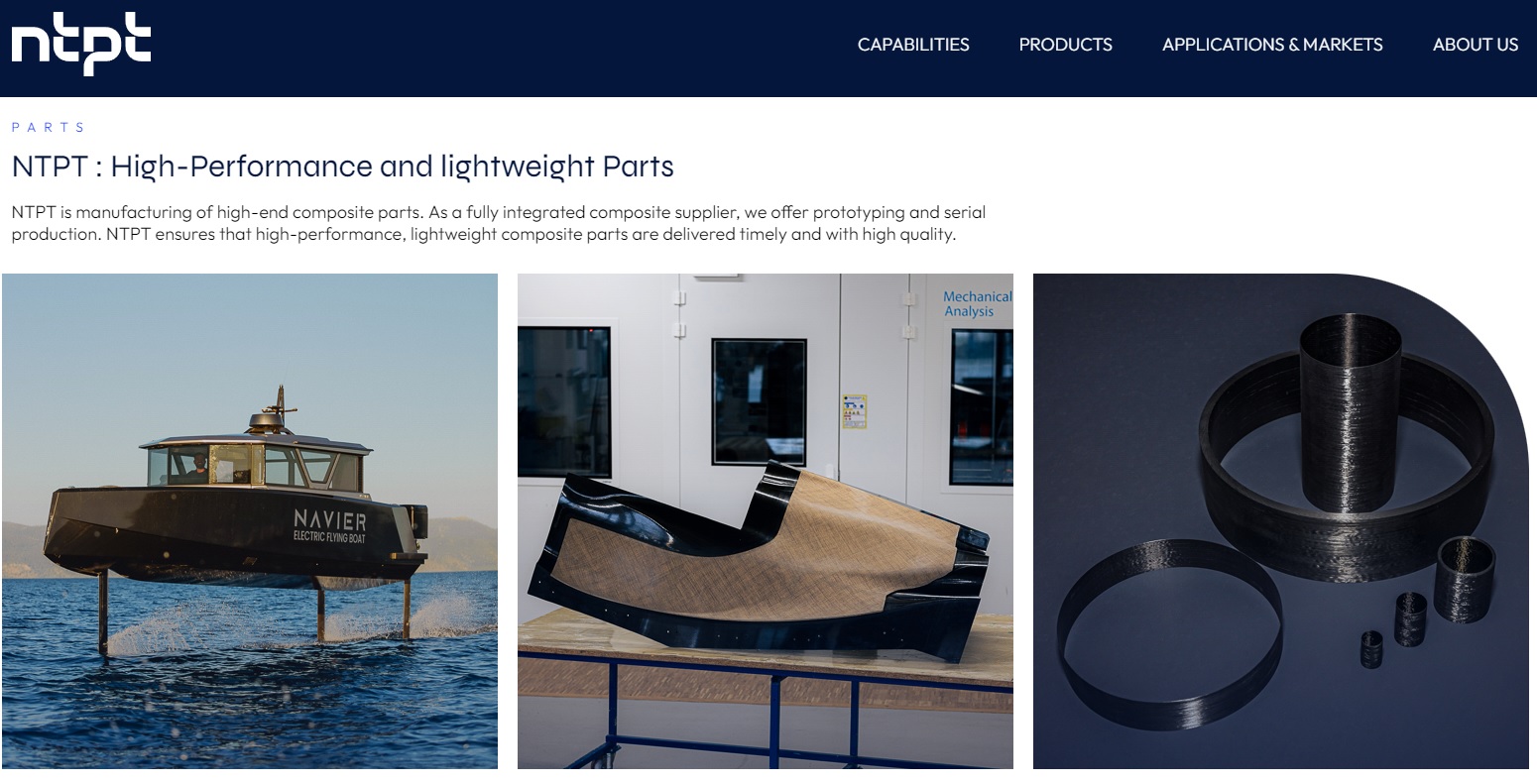
Story: Helping NPT Solve the Mesh Unfolding ChallengeIntroduction to NTPT NTPT is an enterprise specialized in the manufacturing of high-end composite parts. A general understanding of the enterprise can be gained from the images extracted from NTPT's official website ( https://ntpt.tech/ ) as follows:
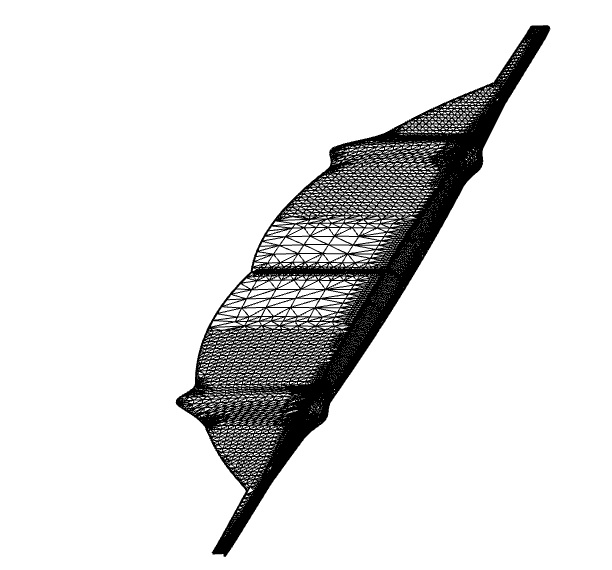
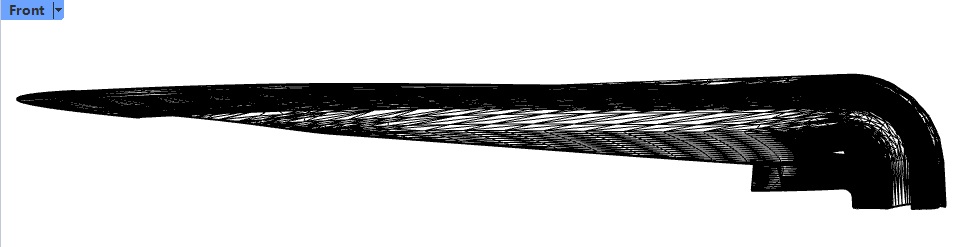
The Challenge Faced by NTPT : Some 3D meshes produce inaccurate 2D meshes after unfolding, with rough, non-smooth boundaries that are unacceptable for practical use. NTPT submitted a challenging test case. In this case, the built-in mesh unfolding functions in Rhino failed to deliver satisfactory results. NTPT hoped that the RESURF team could solve this problem. The following images show the 3D mesh in this case :
Perspective view of the 3D mesh model
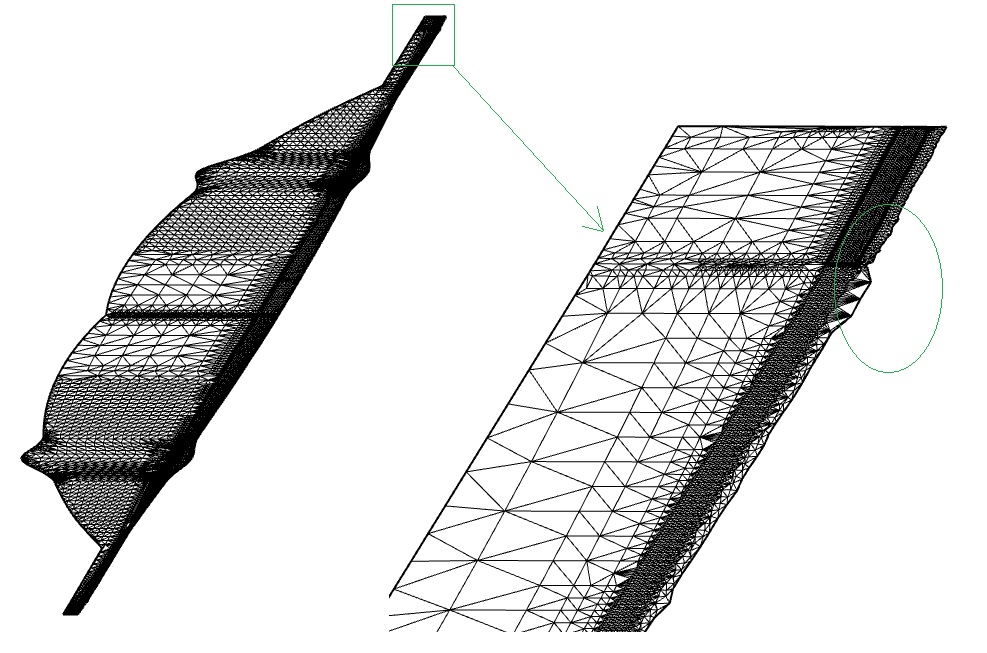
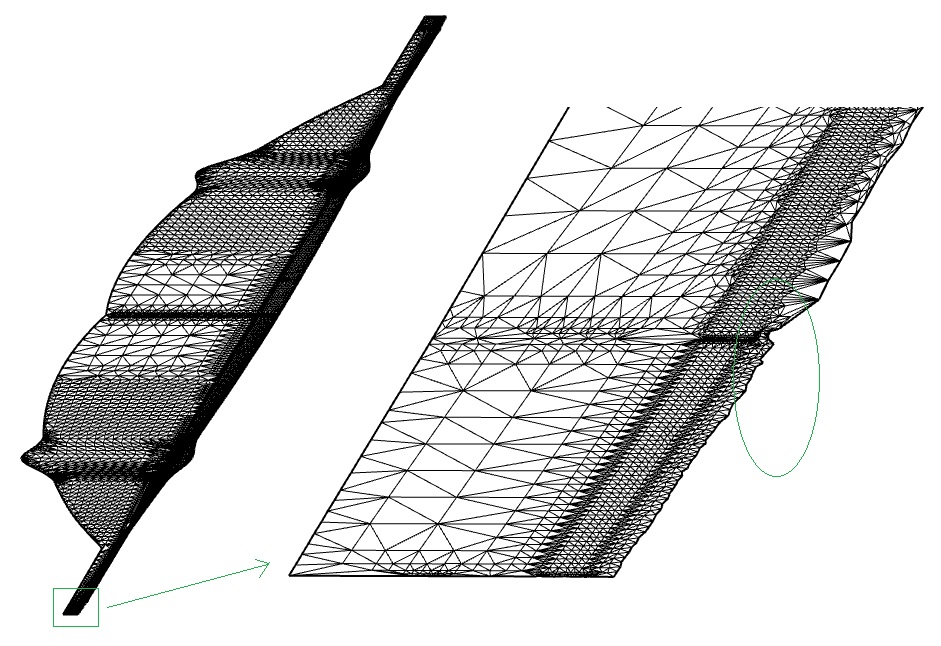
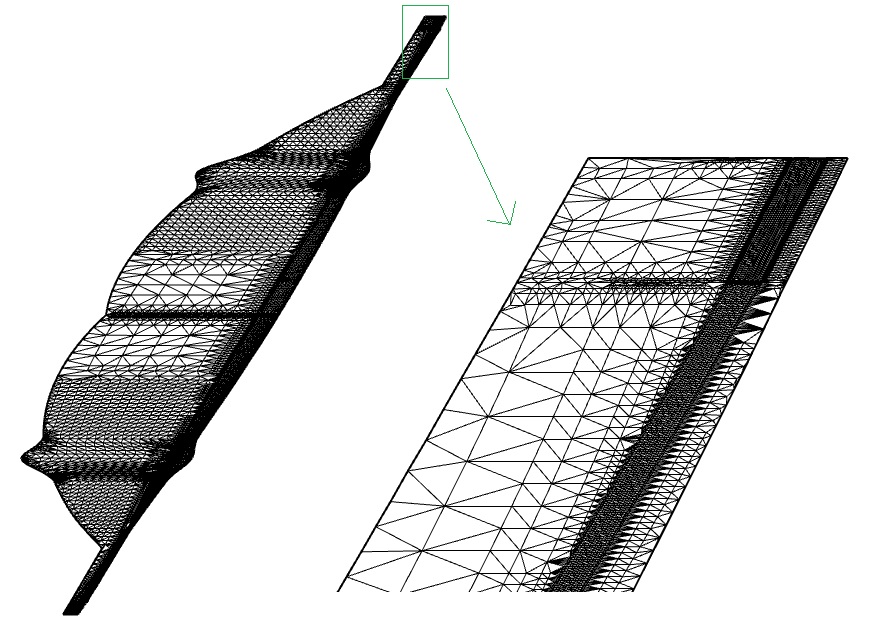
Front view of the 3D mesh model Unfolding using the Rhino command Squish yielded poor results, as shown in the two images below. When the unfolded mesh is magnified, the edges appear jagged and non-smooth, which is unacceptable to the user.
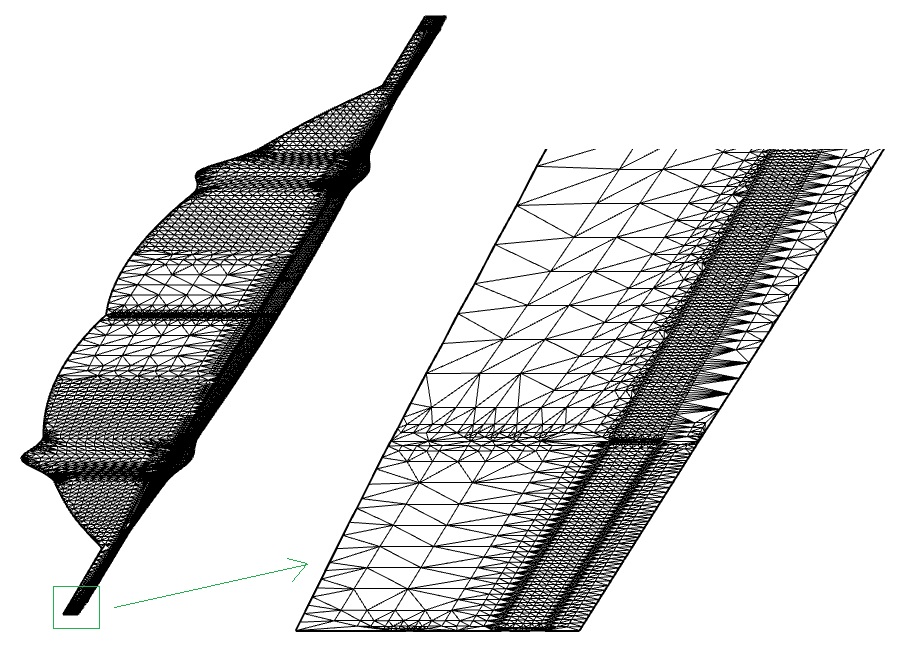
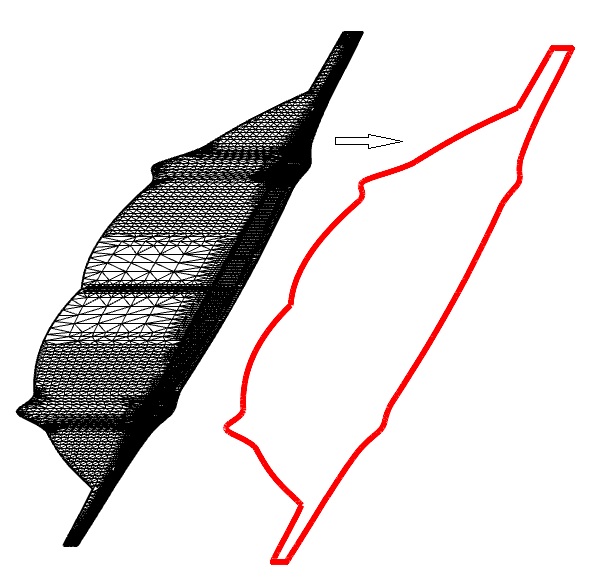
The mesh unfolding command 'RsrMeshFlatten' in RhinoResurf Pro v5.207 for Rhino 7/8 produced significantly improved results that meet the user's requirements By optimizing the algorithm of the RsrMeshFlatten command in RhinoResurf, the developers at the Resurf team achieved high-quality unfolding results, and NTPT expressed strong satisfaction with the outcome. Below is the result obtained by unfolding the above mesh model using the RsrMeshFlatten command in the new version of RhinoResurf Pro v5.207 for Rhino 7/8:
As can be seen from the images above, the mesh unfolded by RhinoResurf Pro maintains smooth boundaries with excellent quality. NTPT thanked the RESURF team for their work.
|
Copyright (C) 2007-2020 RESURF All Rights Reserved. Privacy Statement |