RhinoResurf for Rhino is a reverse engineering plug-in for Rhinoceros® 4.0 and 5.0. This plug-in gives Rhino the ability to reconstruct the geometry represented by NURB surface of an object from a mesh or point cloud which describes it. View changelog.
Features of RhinoResurf:
NURBS fitting with specified tolerance.
Controllable surface smoothness.
G1 continuity transition.
Powerful ability to fit large scale point cloud/mesh
to a single face.
Fully automated nurbs surfaces generation.
Free-form nurbs surface modeling from polygon mesh(.obj mesh).
Command: RsFaceFromPolygon . RhinoResurf for Rhino can model free-form NURBS surface from polygon mesh (E.G .obj file format mesh), the continuity of the NURBS surface reach exact G1 everywhere.
Command: RsPoints2Surf . RhinoResurf for Rhino can drape a surface over a point cloud with specified tolerance. Draping a surface is similar to laying a piece of cloth over an object. The surface is deformed to take the shape of the object along the drape direction. The drape direction is calculated automatically.
video for point cloud to surface based on surface (no voice):
Trimmed surface created from point cloud: In this video, we show how to use three comands(RsPoints2Surf, InterpCrvOnSrf, Trim) to fit a trimmed surface to point cloud.
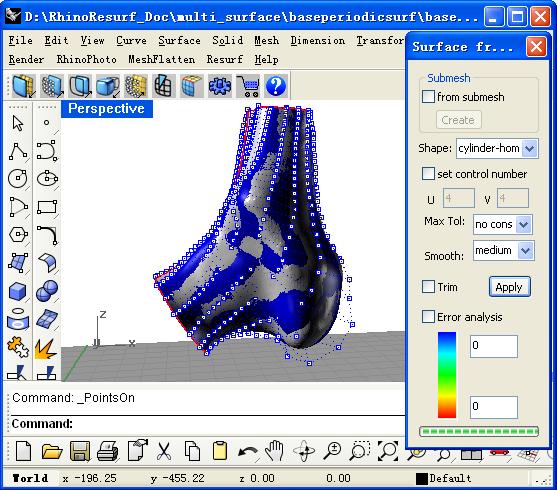
Command: RsMesh2Surf . RhinoResurf for Rhino can convert an open mesh model to a single NURB surface with specified tolerance. The mesh is allowed to have interior holes in the model.
Video for cylinder-topologic mesh to periodic surface (no voice)
Video for hemisphere-topologic mesh to periodic surface (no voice)
Command: RsCurves2Surf . RhinoResurf for Rhino can create a nurbs surface from selected curves (such as contour curve).
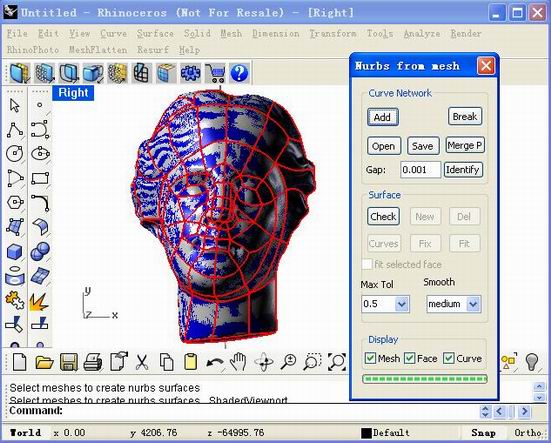
Command: RsMesh2Surfs . RhinoResurf for Rhino can convert an open or closed mesh to multiple NURB surfaces. User selects a mesh, and defines a curve network by drawing lines on the selected mesh. Then just click one or two buttons, the selected mesh will be converted to multiple NURB surfaces with specified tolerance. The transition between any two NURBS surface patches reaches G1 continuity.
The following video shows how to create surface by using T-Point in curve network:
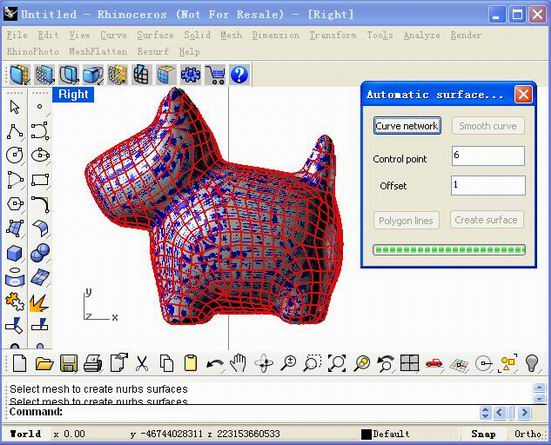
Command: RsAutoNurbs . RhinoResurf for Rhino can automatically generate nurbs surfaces from a selected mesh.
Video for automatic surfaces fitting from mesh (no voice)
Video for automatic surfaces modeling from mesh (no voice)
Command: RsPointCloud2Mesh . RhinoResurf for Rhino can create a mesh from selected point cloud.
Command: RsSplitCurveNetwork . RhinoResurf for Rhino can split curves by their intersection point position automatically.
Command: RsMergeMeshs . RhinoResurf for Rhino can merge several meshes into one mesh body.
RhinoResurf for Rhino is designed to be extremely user friendly and easy to understand. You load it manually at the first time and it automatically loads itself into the Rhino environment later. Once loaded it adds new commands to Rhino's existing commands and a new submenu called "Resurf" to the Rhino menu containing these newly added commands.
MeshFlatten for Rhino
MeshFlatten for Rhino is a plug-in for Rhinoceros® 4.0 and 5.0. This plug-in gives Rhino the ability to unroll the selected mesh model. MeshFlatten for Rhino is designed to be extremely user friendly, user just select a mesh and click right-mouse button, the flatten result will be calculated automatically.
MeshFlatten for Rhino can unfold a 3D mesh to be a 2D mesh. Command: RsMeshFlatten
MeshFlatten for Rhino can unfold a 3D surface to be a 2D mesh. Command: RsSurfaceFlatten
Our products are available as downloads and can be purchased online from our secure store using a credit card. Please click on the corresponding links below to view more information, download or buy a product. If you need any additional information please contact_us.
.png) RhinoResurf for Rhino
RhinoResurf for Rhino 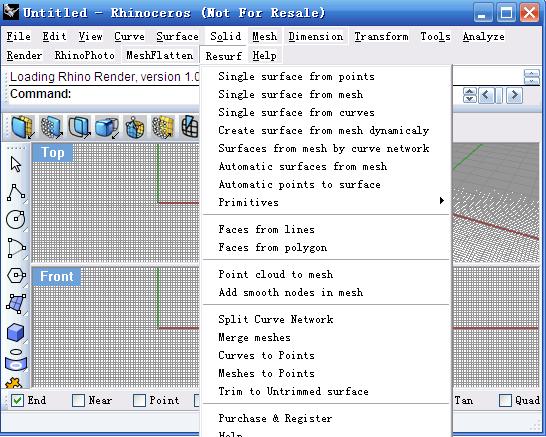
 NURBS fitting with specified tolerance.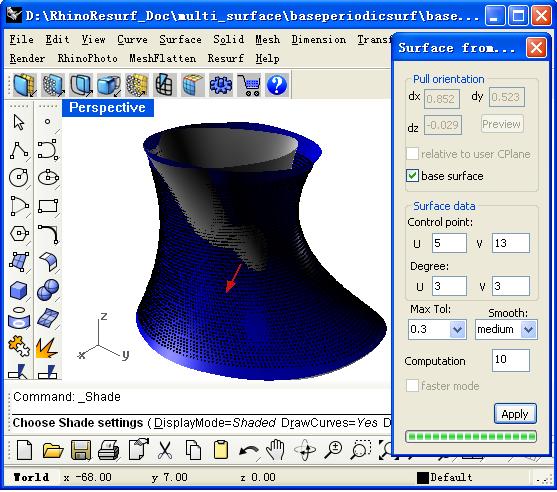
 MeshFlatten for Rhino